
Announcing workflow TTLs
bitdrift Capture just got even more powerful: as of today we’ve added dynamic Time To Live (TTL) for workflows! Capture’s industry leading mobile observability and debugging experience means that engineers can reach for a workflow to dynamically debug whatever issue comes up in real-time. However, this often leads to telemetry being generated that is not used after the initial issue is investigated and fixed. Unlike other vendors which gleefully allow you to generate copious amounts of data that is never read and pay for the privilege, bitdrift is different and does not charge by the amount of data ingested. Our interests are aligned with the customer: ingest only the data that is needed and nothing more. TTLs provide the foundation to do just that.

Workflow refresher
Capture is a very different take on mobile observability. Instead of sending gobs of data from every mobile device to our backend for processing, most of which is never read, incurring high costs and mobile device performance overhead, we couple local storage and real-time control to collect data on the mobile device and only send it to the backend when it is explicitly requested. As we like to say, this provides 1000x the data when you need it, and none when you don’t. The main lever of real-time control is what we call the workflow. A workflow is the visual language for directly querying mobile devices, resulting in a finite state machine that is sent from the backend to every mobile device and tells the device what event sequences to look for, and what to do when that sequence occurs. For example: “Wait for the user to view the check out screen, then if the user leaves the checkout screen or 15s has passed without a checkout, increment a counter and dump a full session with session replay.” Workflows allow encoding very detailed conditions to match on, which allow you to debug extremely detailed cases without the noise of heaps of useless data that do not apply to the case at hand.Workflow TTLs
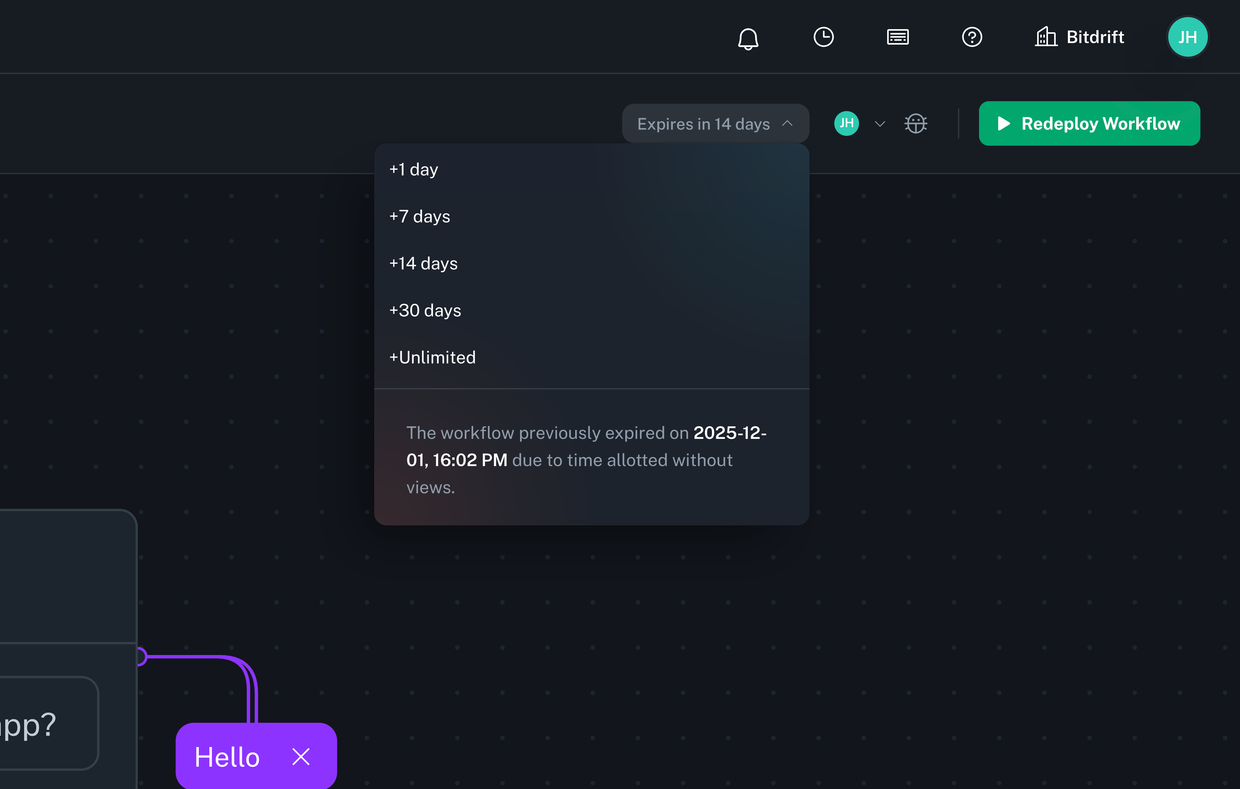
- It increases infrastructure ingestion and storage costs. Even though bitdrift is unique in that we do not charge by the amount of data ingested, we still have to model the costs into our per-device pricing. We are incentivized to only ingest data that is actually useful.
- It increases resource utilization on each device where the workflows run. Workflows are not free, they do use computational resources, and bandwidth when data is sent. It’s preferable that workflows only run on each device if they are generating useful data.